How we measure and report results
Five tools tell us whether your website and Google listing are working. Here is what each one shows, what the numbers mean in plain English, and how we use them in your monthly report.
About the dashboards on this page: they are illustrations with example numbers for fictional websites (.example domains). They show what each report looks like. They are not client results.
Google Search Console
Search Console is Google’s own data about your site: which searches show your pages, how often people click, and your average ranking position. It is the most reliable source for SEO progress, and it is free.
In your report
Every month: clicks, impressions, CTR and position trends, the searches that gained or lost the most, and the pages to improve next.
What the numbers mean
- Impressions
- How many times your pages appeared in Google results. This usually rises before clicks do.
- Clicks
- Visits that came from Google search results.
- CTR
- Click-through rate: clicks divided by impressions. Better titles and descriptions raise it.
- Average position
- Your average ranking across all searches. Positions 1–10 are page one.
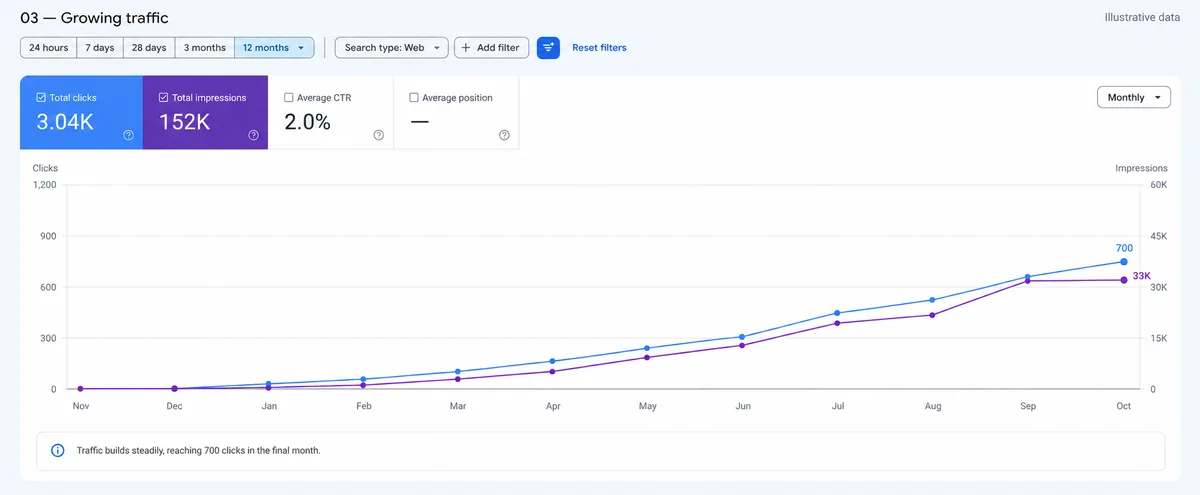 Illustration · example data
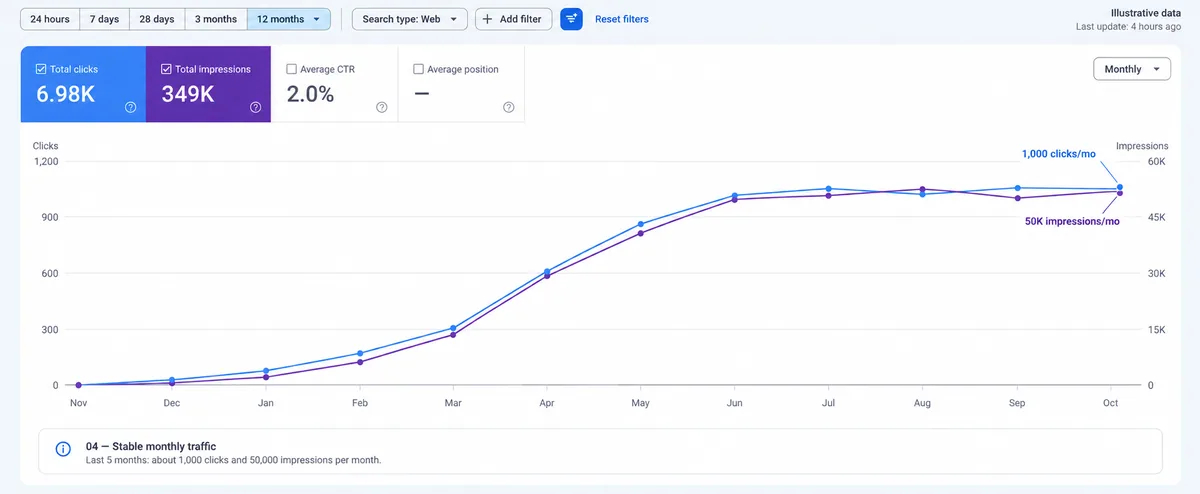 Illustration · example data
Google Business Profile
Your Business Profile is the listing that appears in Google Maps and the local results, with your hours, photos, reviews and contact buttons. For local businesses it often brings more customers than the website itself. In Japan, optimising it is called MEO.
In your report
Every month: profile views and where they come from, calls, direction requests and website clicks, new reviews and replies, and the searches that find you.
What the numbers mean
- Profile views (Audience)
- How many people saw your Business Profile on Google Search or Maps.
- Devices and platforms
- Where they saw it: Google Maps or Search, on a phone or a computer.
- Year-on-year change
- Compared with the same months last year, so seasonal ups and downs don’t mislead.
- Search trends
- The words people searched before finding you, such as "cafe near me" or your brand name.
- Engagement
- Calls, direction requests, website clicks, bookings and messages from the profile.
- Reviews
- Number of reviews, average rating and how quickly you reply. All of these affect ranking.
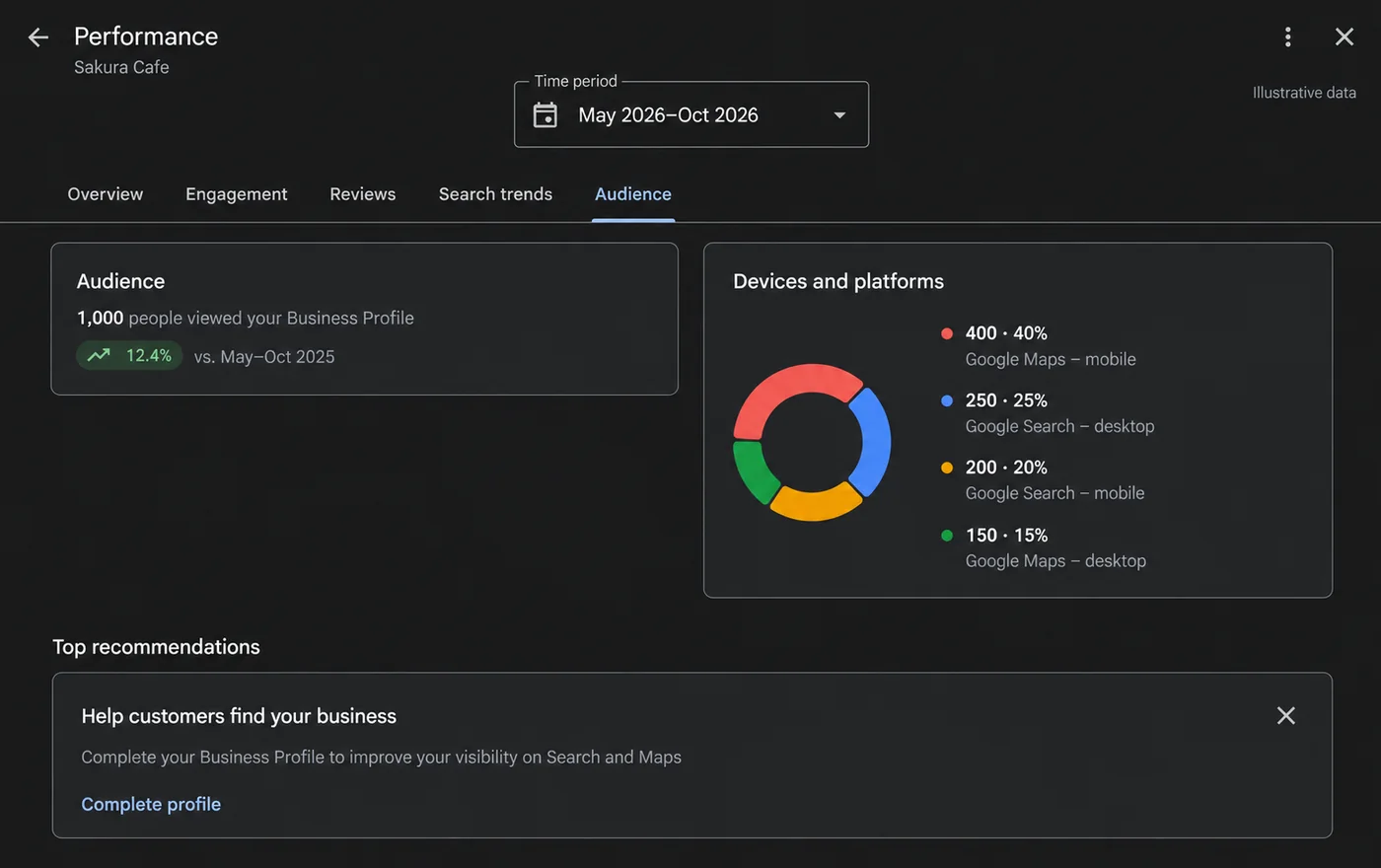 Illustration · example data
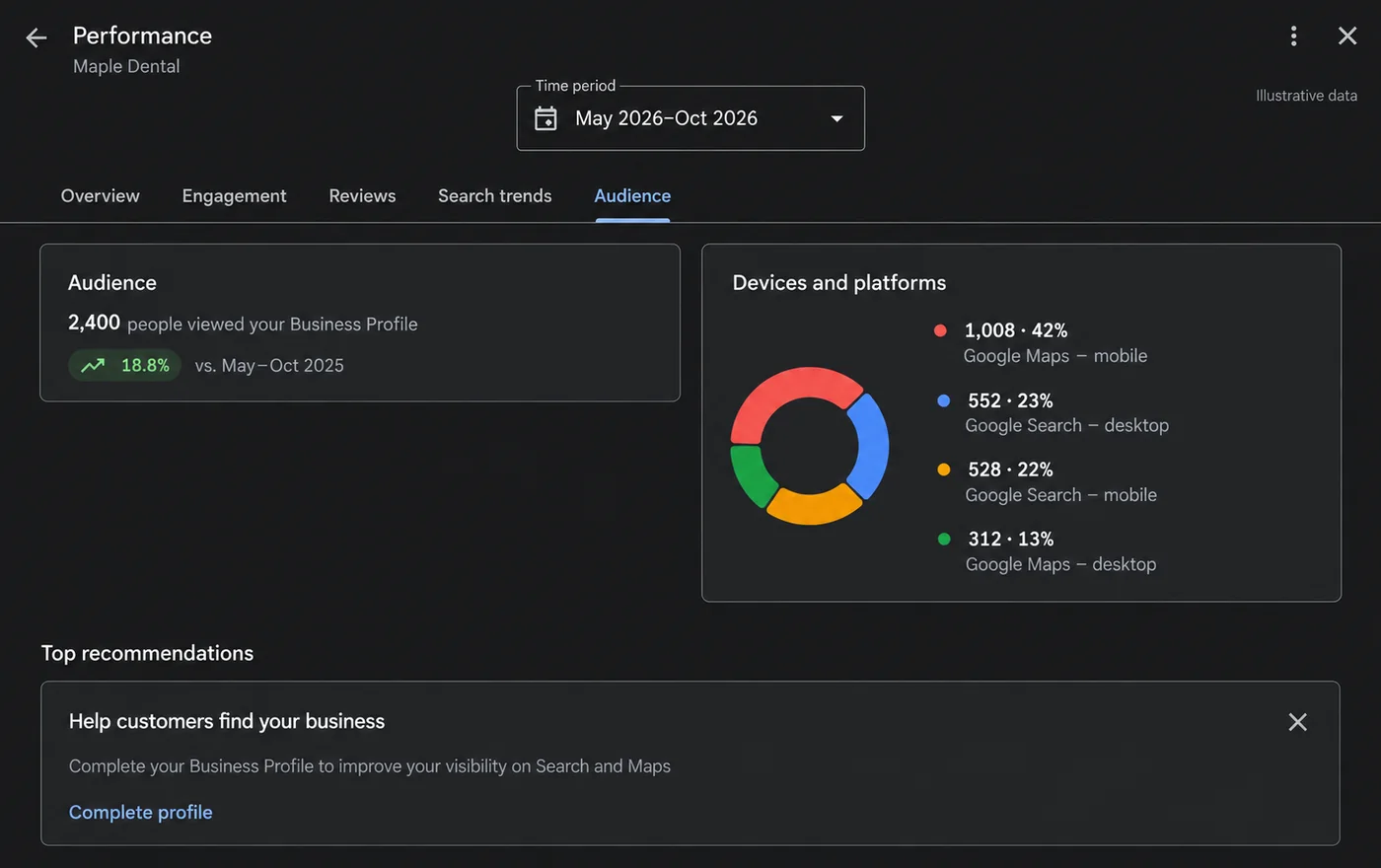 Illustration · example data
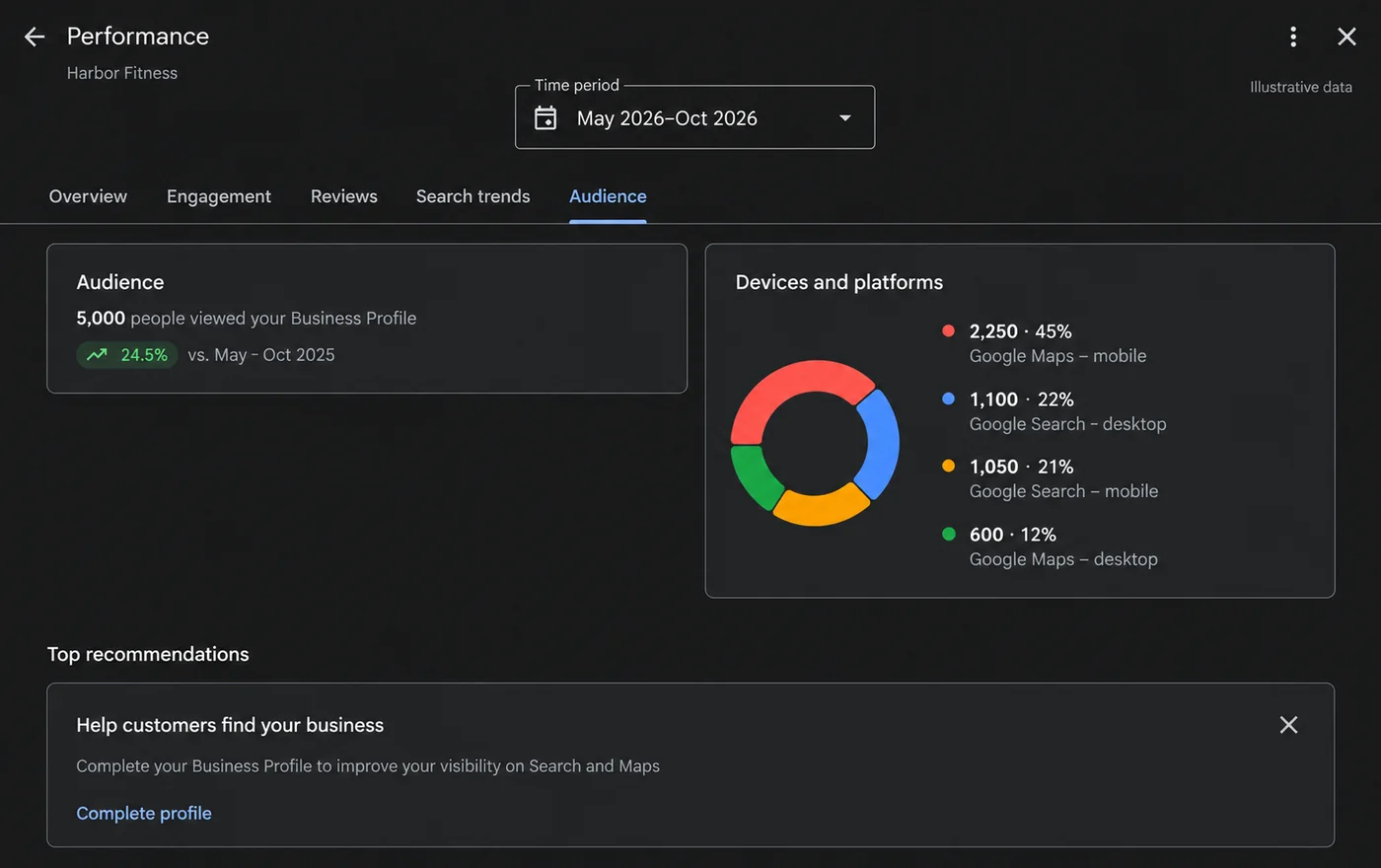 Illustration · example data
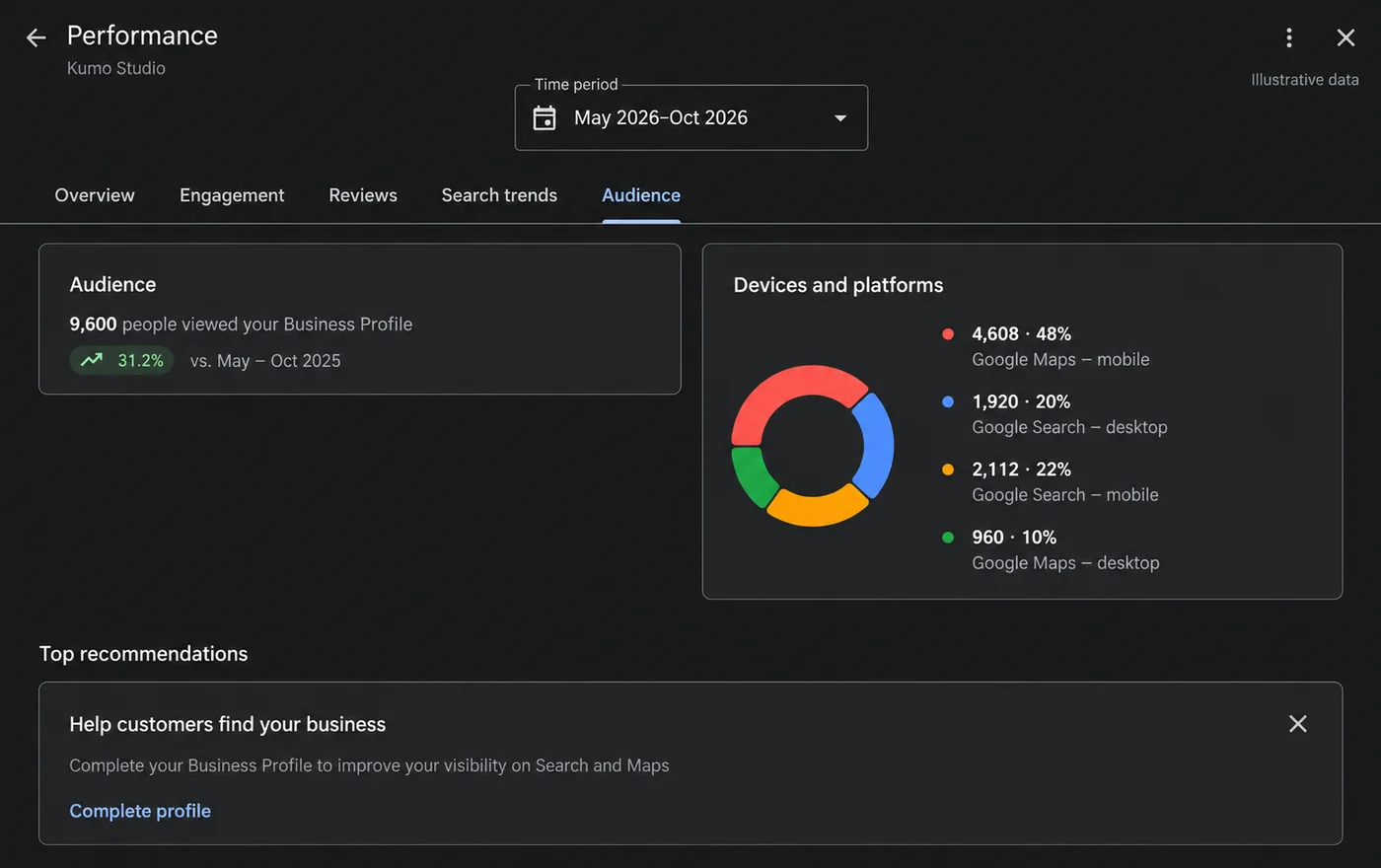 Illustration · example data
Google Analytics 4
Google Analytics shows everyone who visits your site, from any source: search, ads, social, LINE or direct. It tells us whether traffic is growing and whether visitors engage enough to become enquiries.
In your report
Every month: users by channel (search, ads, social, LINE, direct), engagement, top pages, and, most importantly, enquiries by source.
What the numbers mean
- Active users
- People who visited and engaged with your site in the period.
- New users
- First-time visitors. A healthy site keeps attracting new people.
- Average engagement time
- How long visitors actively use the page. Longer usually means more interest.
- Previous period (dotted line)
- The same length of time before, so growth is easy to see.
- Realtime
- Who is on the site right now, and from which country.
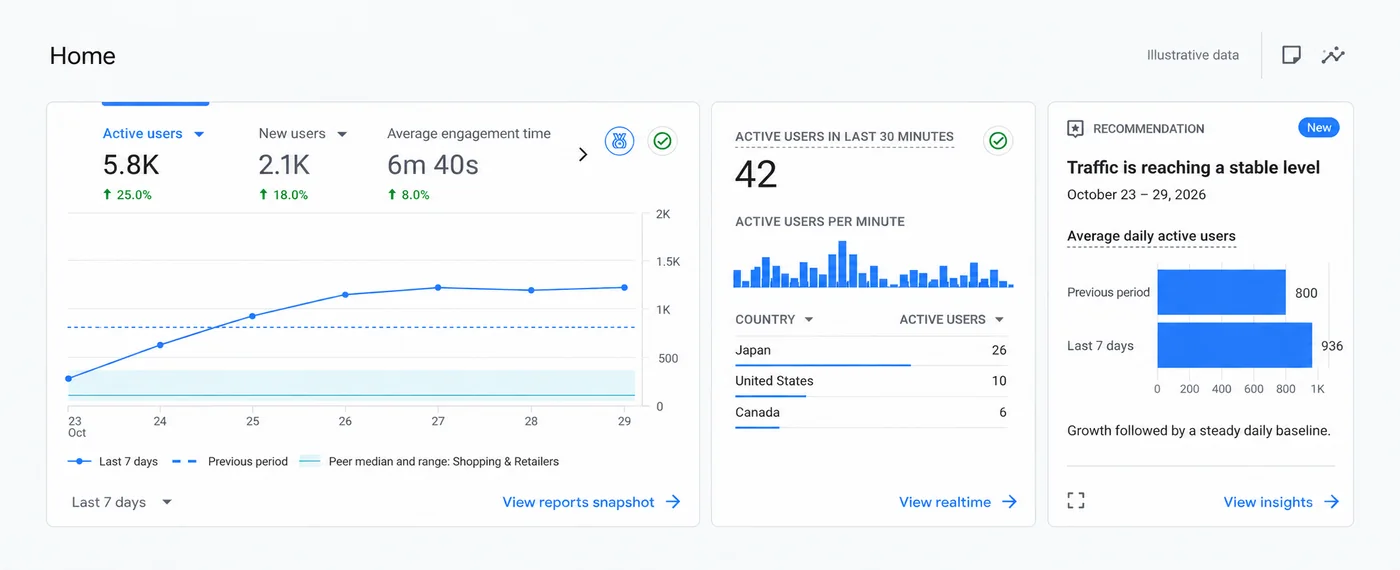 Illustration · example data
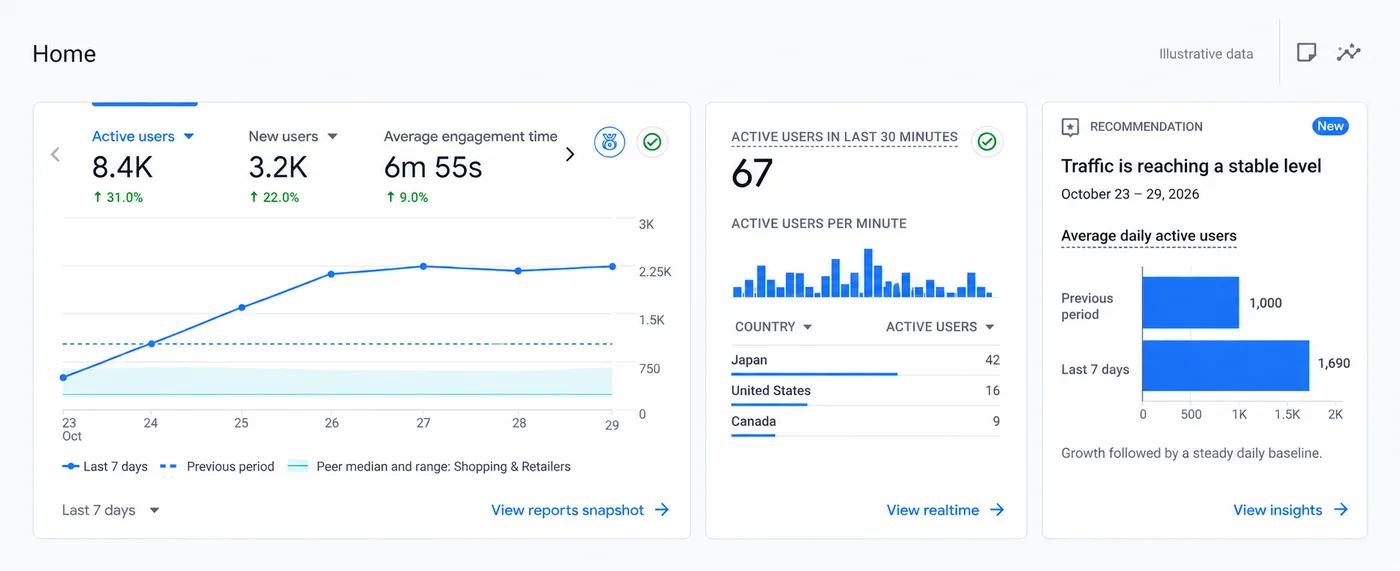 Illustration · example data
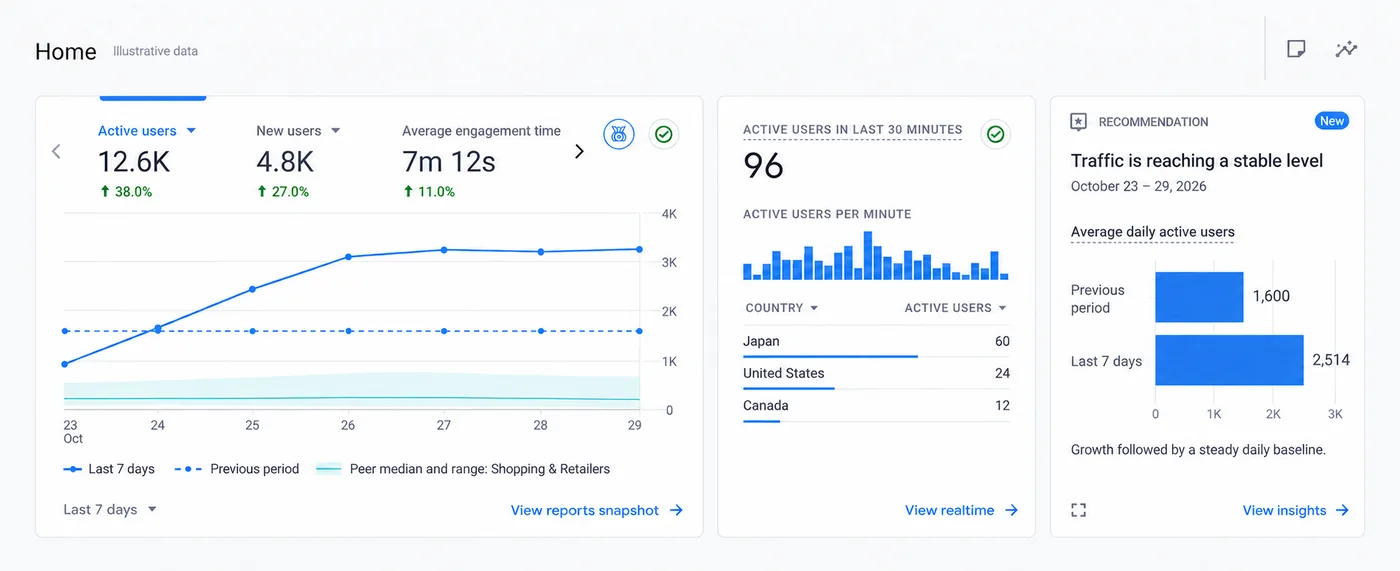 Illustration · example data
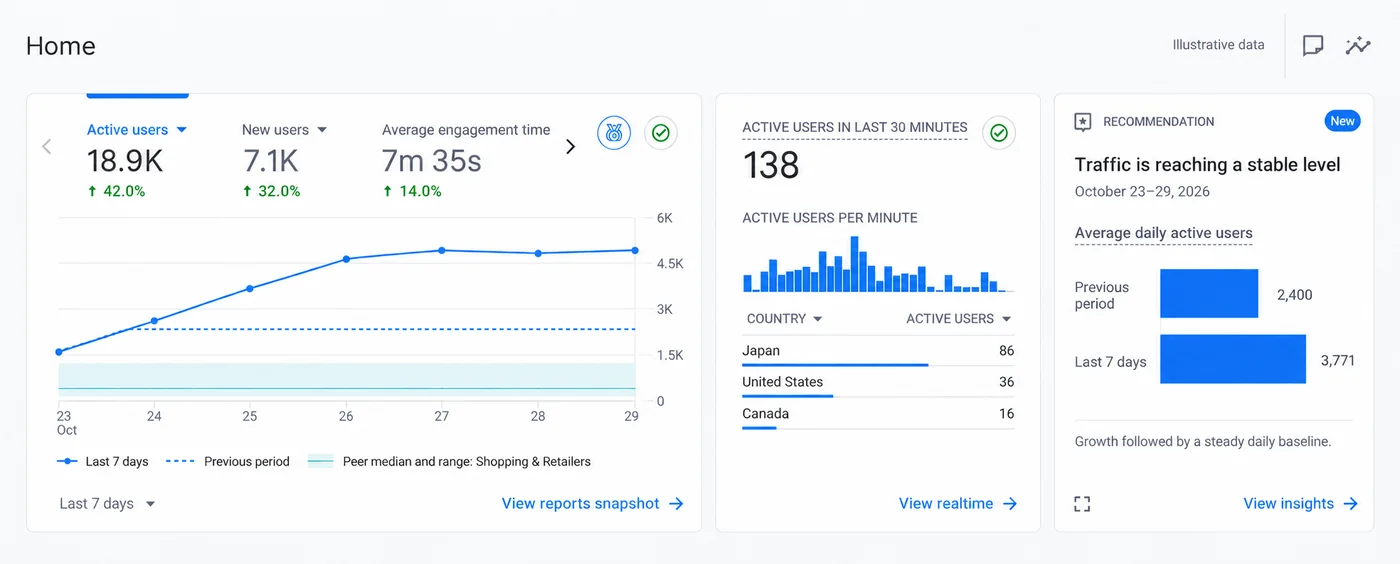 Illustration · example data
Microsoft Clarity
Clarity is a free behaviour-analytics tool with heatmaps and anonymised session recordings. Analytics tells us how many people came; Clarity shows why they did or didn’t enquire.
In your report
Every month: the biggest friction points we found in heatmaps and recordings, with the fixes we made or recommend.
What the numbers mean
- Scroll depth
- How far down the page visitors scroll on average. Low scroll depth means key content is too far down.
- Active time spent
- Time actually interacting, compared with total time on the page.
- Rage clicks
- Repeated fast clicks in one spot: a sign of frustration with something that doesn’t respond.
- Dead clicks
- Clicks on things that aren’t links or buttons. Visitors expected them to work.
- Excessive scrolling
- Scrolling up and down searching for something they can’t find.
- Quick backs
- Visitors who open a page and leave almost immediately. The page didn’t match what they expected.
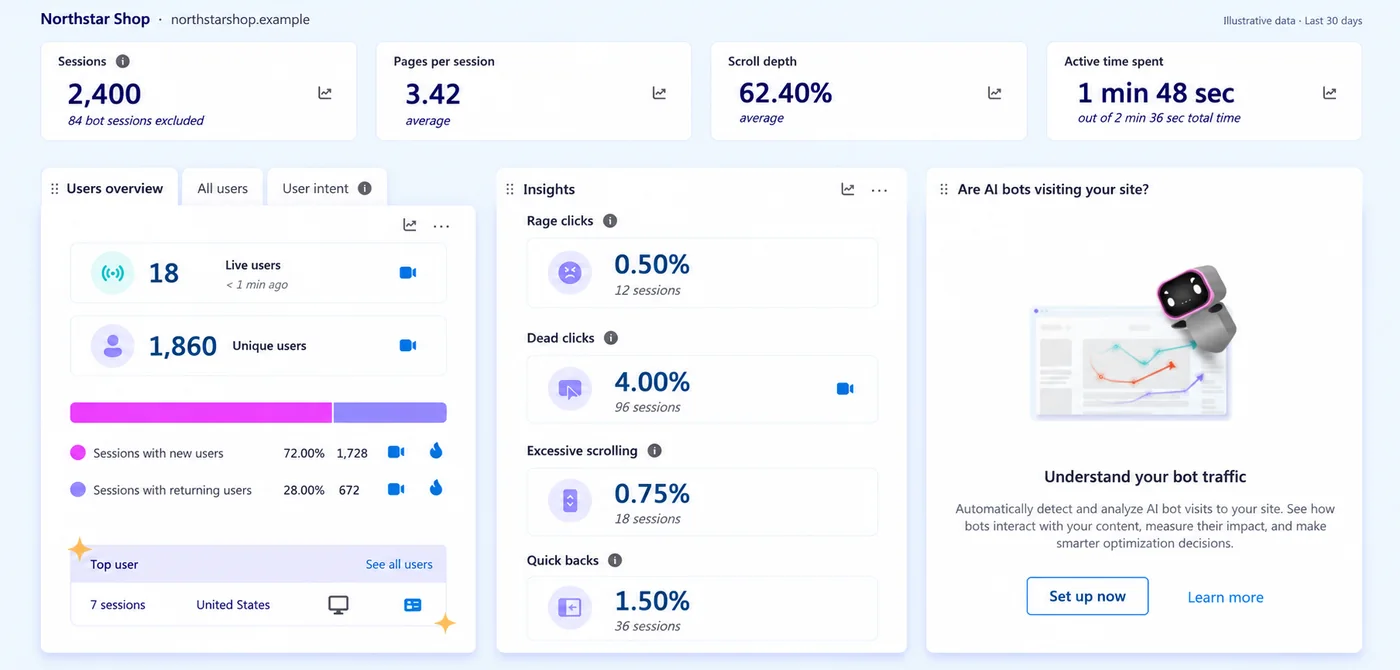 Illustration · example data
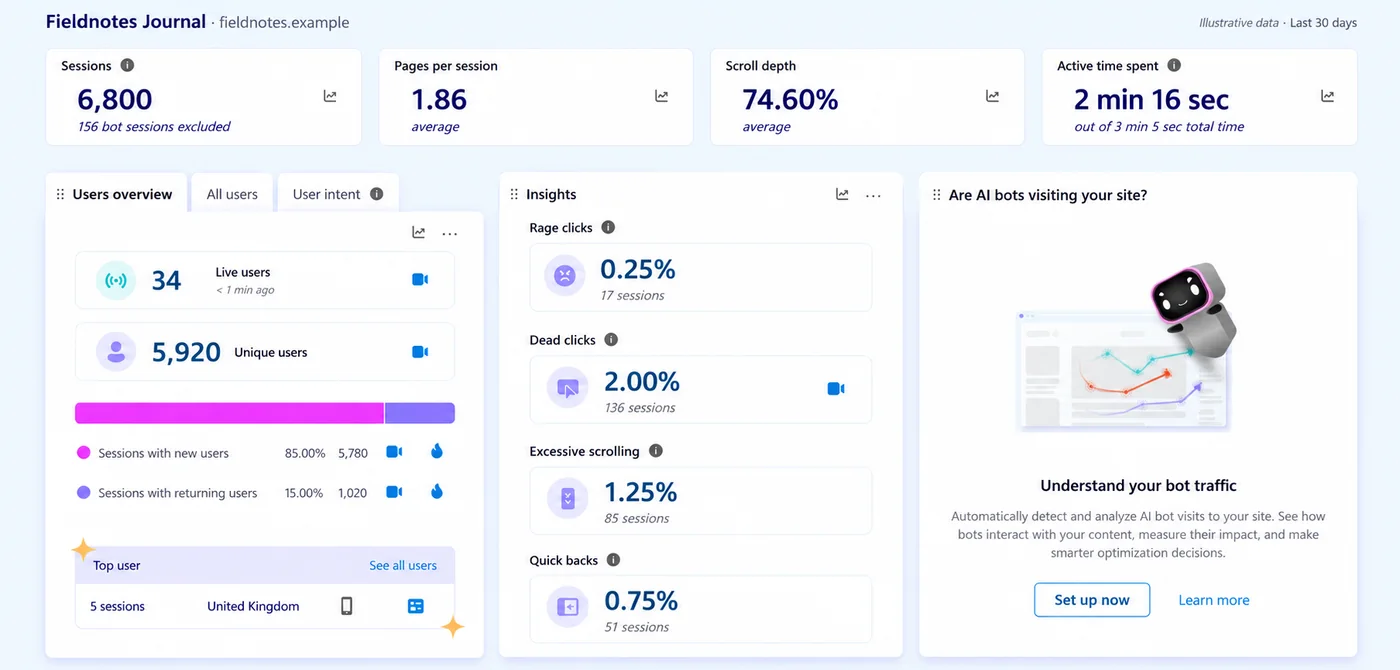 Illustration · example data
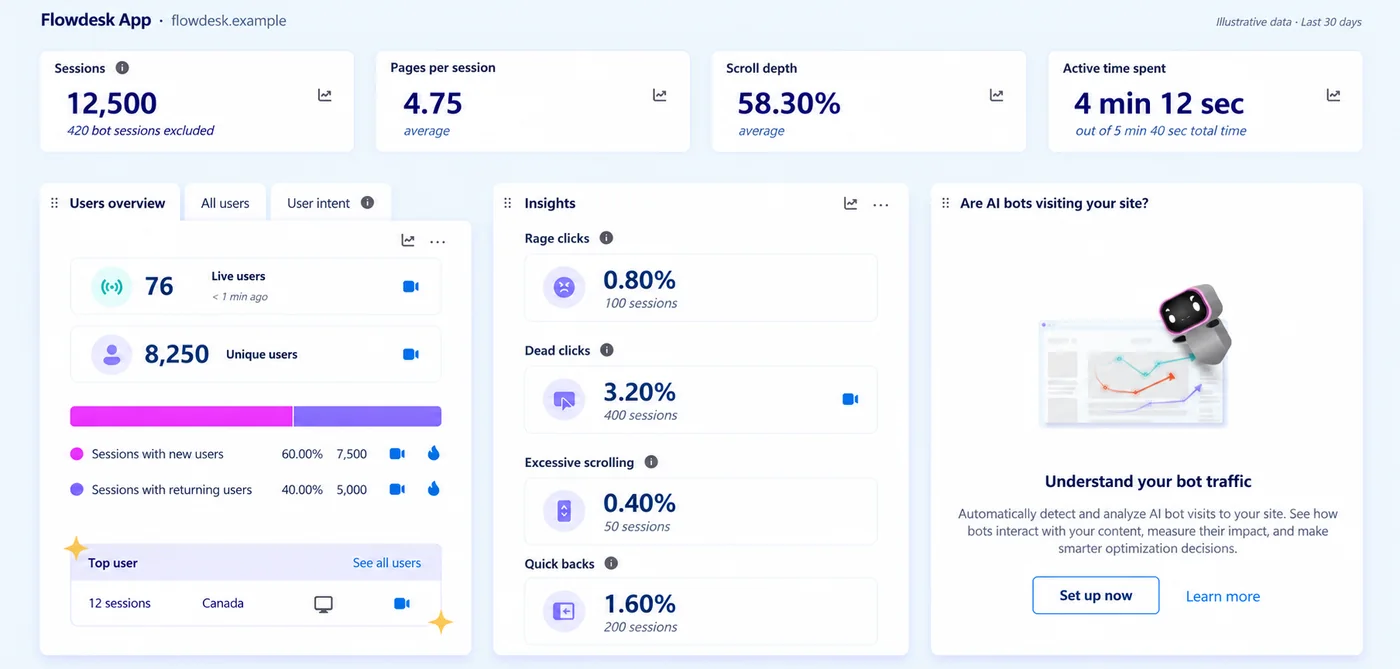 Illustration · example data
Ahrefs
Ahrefs is a professional SEO tool. It estimates rankings, traffic and backlinks for any website, including your competitors, and now tracks how often AI tools such as ChatGPT and Google AI Overviews mention a site. Its traffic figures are estimates, so we read them alongside Search Console.
In your report
Quarterly: your strength against your main competitors, new and lost links, keyword gaps to target, and AI-answer visibility.
What the numbers mean
- DR (Domain Rating)
- Overall strength of the site’s backlink profile, from 0 to 100. Higher is stronger.
- UR (URL Rating)
- The same idea for a single page.
- Referring domains
- How many different websites link to you. Quality matters more than quantity.
- Organic keywords / Top 3
- How many searches the site ranks for, and how many of those are in the top three positions.
- Organic traffic & value
- Estimated monthly search visits, and what that traffic would cost as ads.
- AI responses
- How often AI answers (AI Overviews, ChatGPT, Perplexity and others) mention the site.
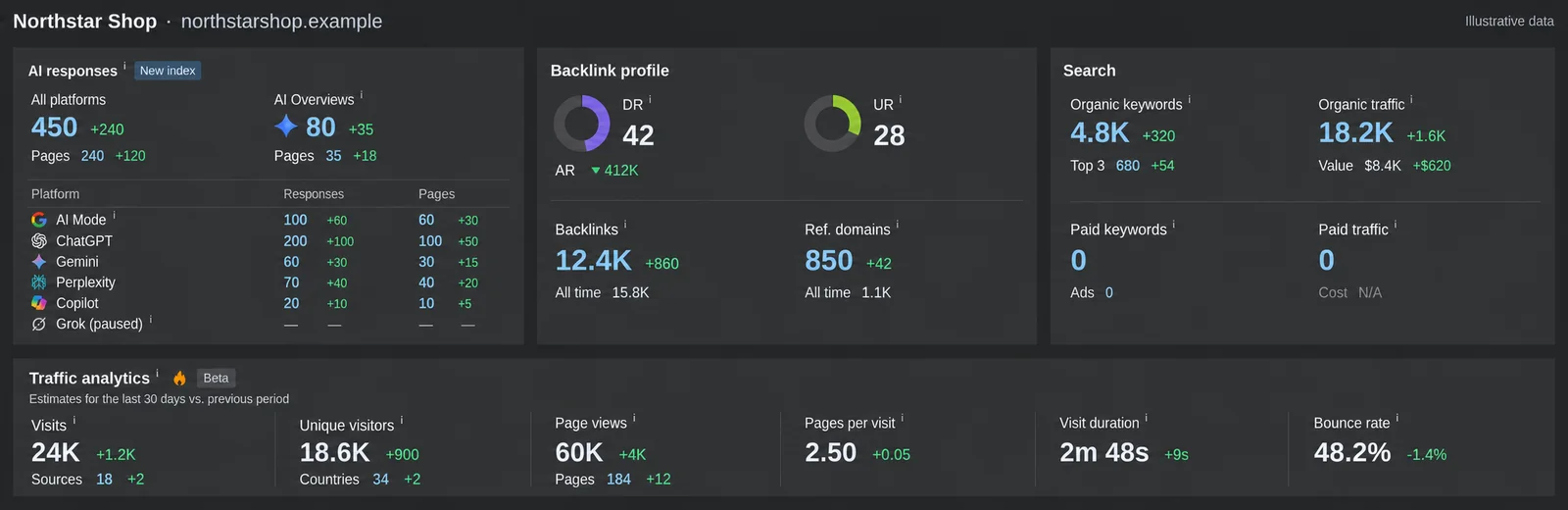 Illustration · example data
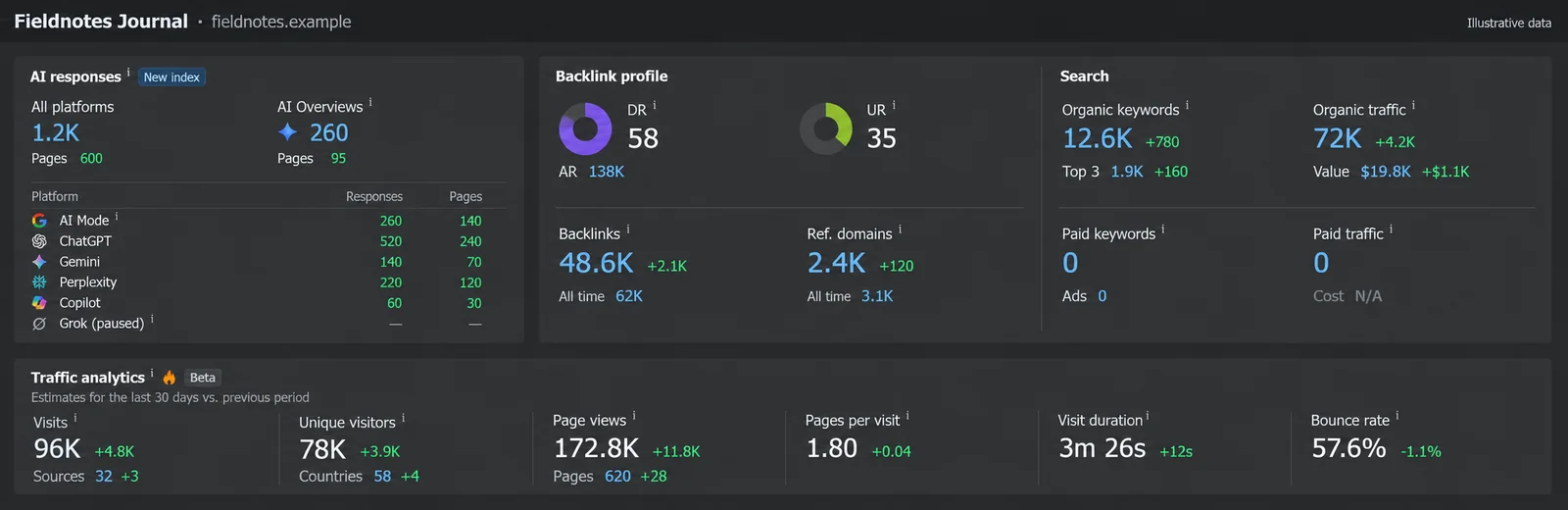 Illustration · example data
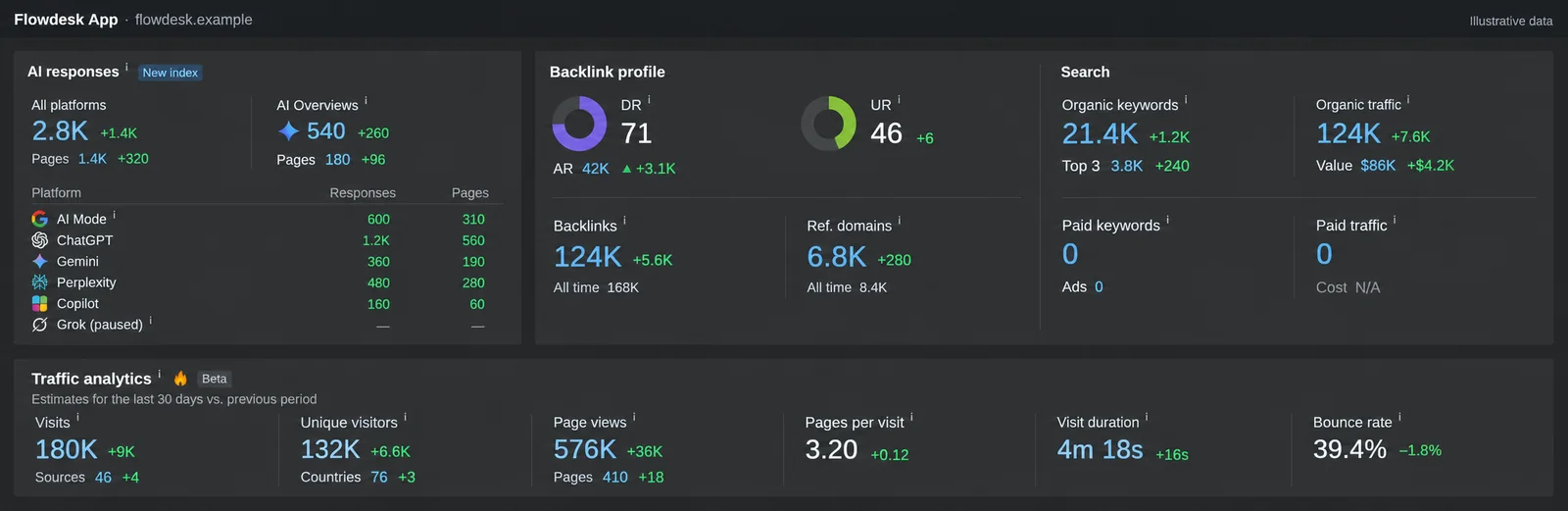 Illustration · example data
Your monthly report
- One page in plain English: what changed, why, and what we do next
- Enquiries by source: search, Google Maps, ads, social, LINE and direct
- Rankings and search visibility from Search Console
- Visitor behaviour insights from Clarity, with fixes
- A 30-minute call to go through it together
Common questions
Do I get access to my own analytics?
Yes. Search Console, Google Analytics and Clarity are set up in accounts your business owns, and we work inside them. You keep full access even if you stop working with us.
Are the dashboards on this page real client data?
No. They are illustrations with example numbers for fictional websites. They show what each report looks like and how we read it. Client data stays private.
How often do you report?
Monthly for SEO, ads and website performance, with a short call to go through it in English. Competitor and backlink reviews are quarterly.
Want to see your own numbers?
Our free audit includes a look at your Search Console and Analytics data, explained in English.